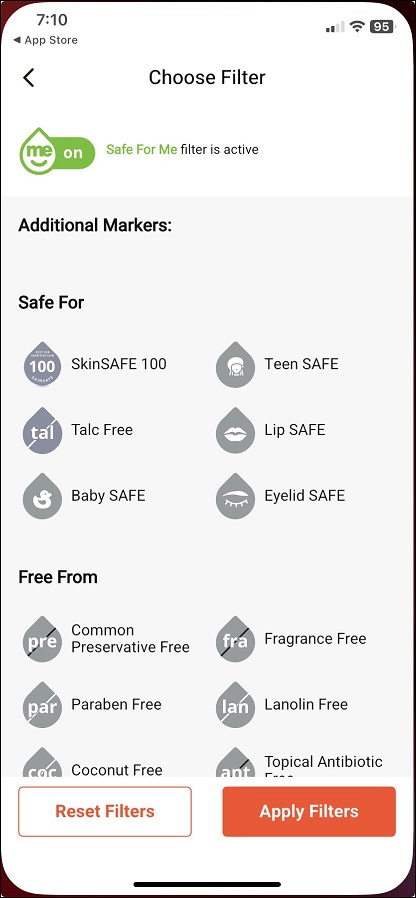

SkinSAFE Wellness Markers help personalize product recommendations based on your safety preferences. If the "Show SkinSAFE Markers" feature is disabled, these markers won't appear in the dropdown menu near the "Safe for Me" toggle switch in the top right corner. Follow the steps below to activate them:
Steps to Enable SkinSAFE Wellness Markers
Log in to your account.
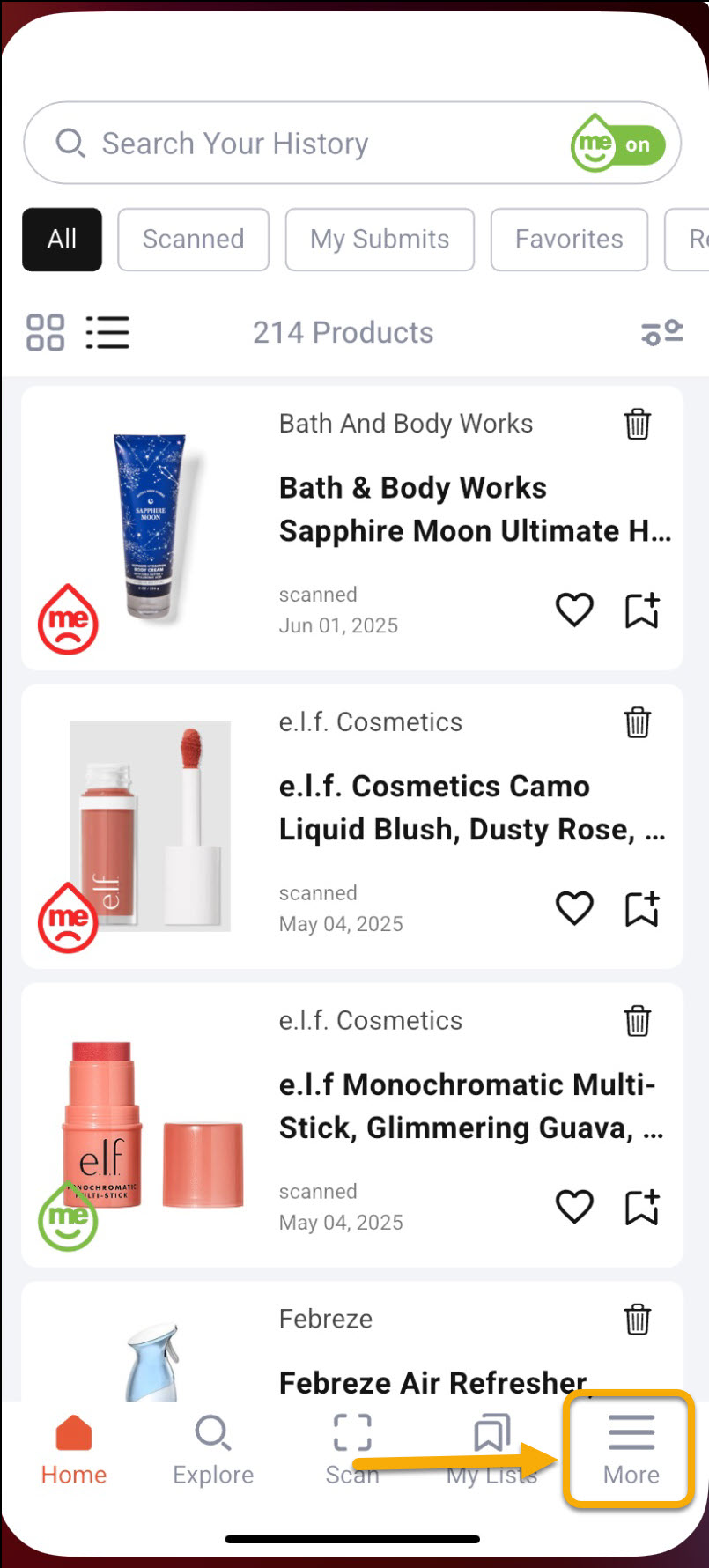
Navigate to “More” in the lower right corner.
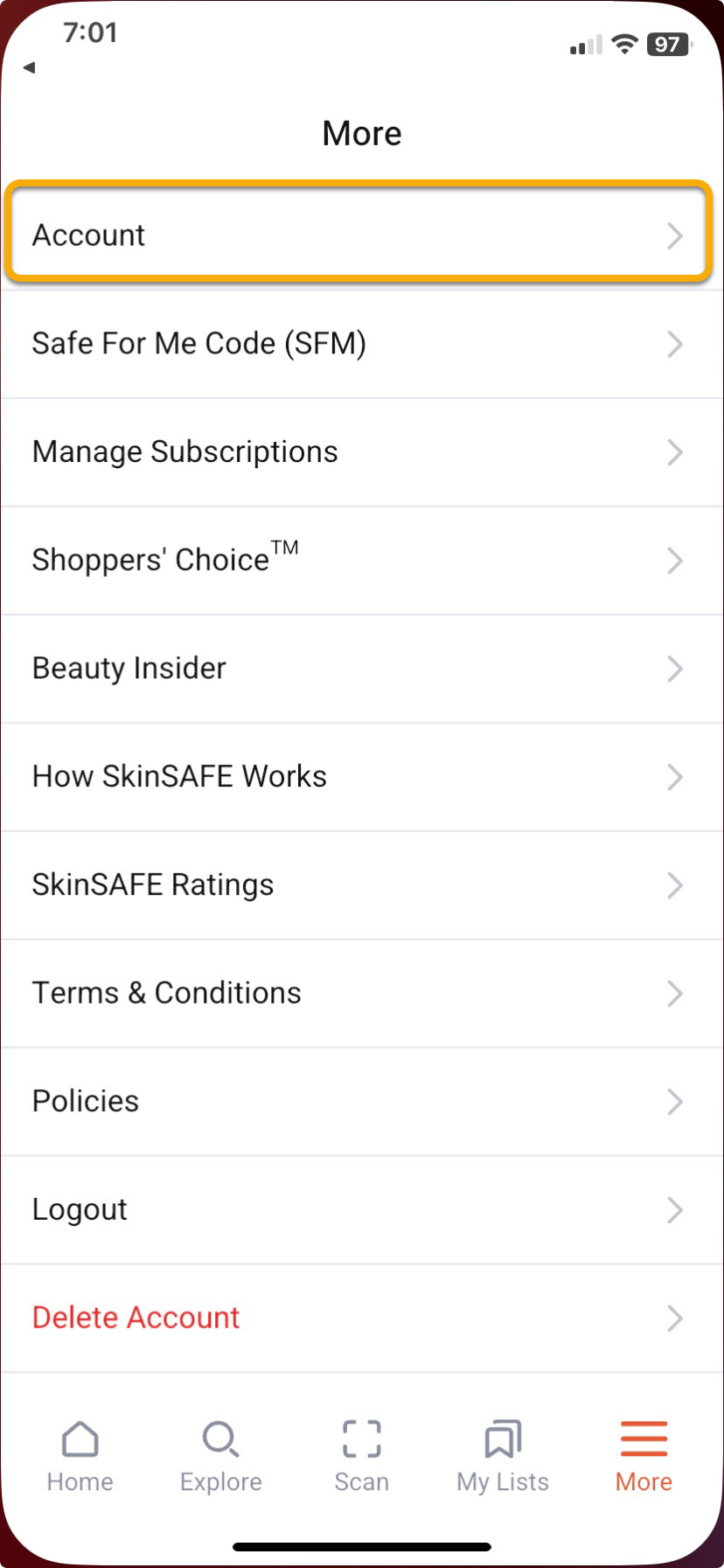
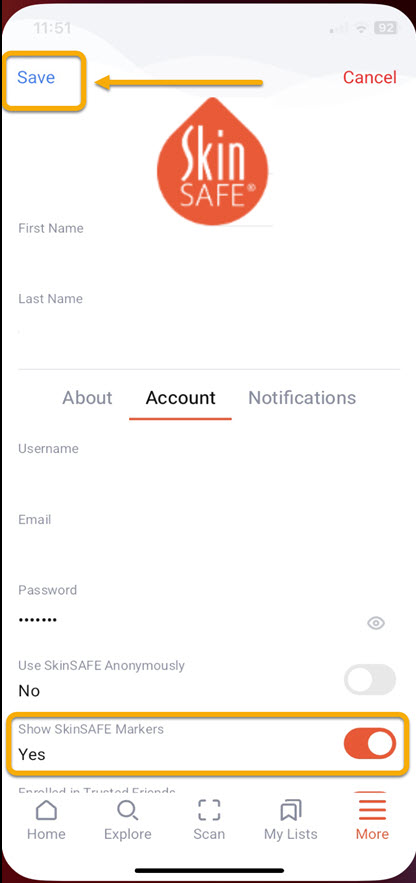
Go to the “Account” section.
Click on “Edit” in the top right corner.
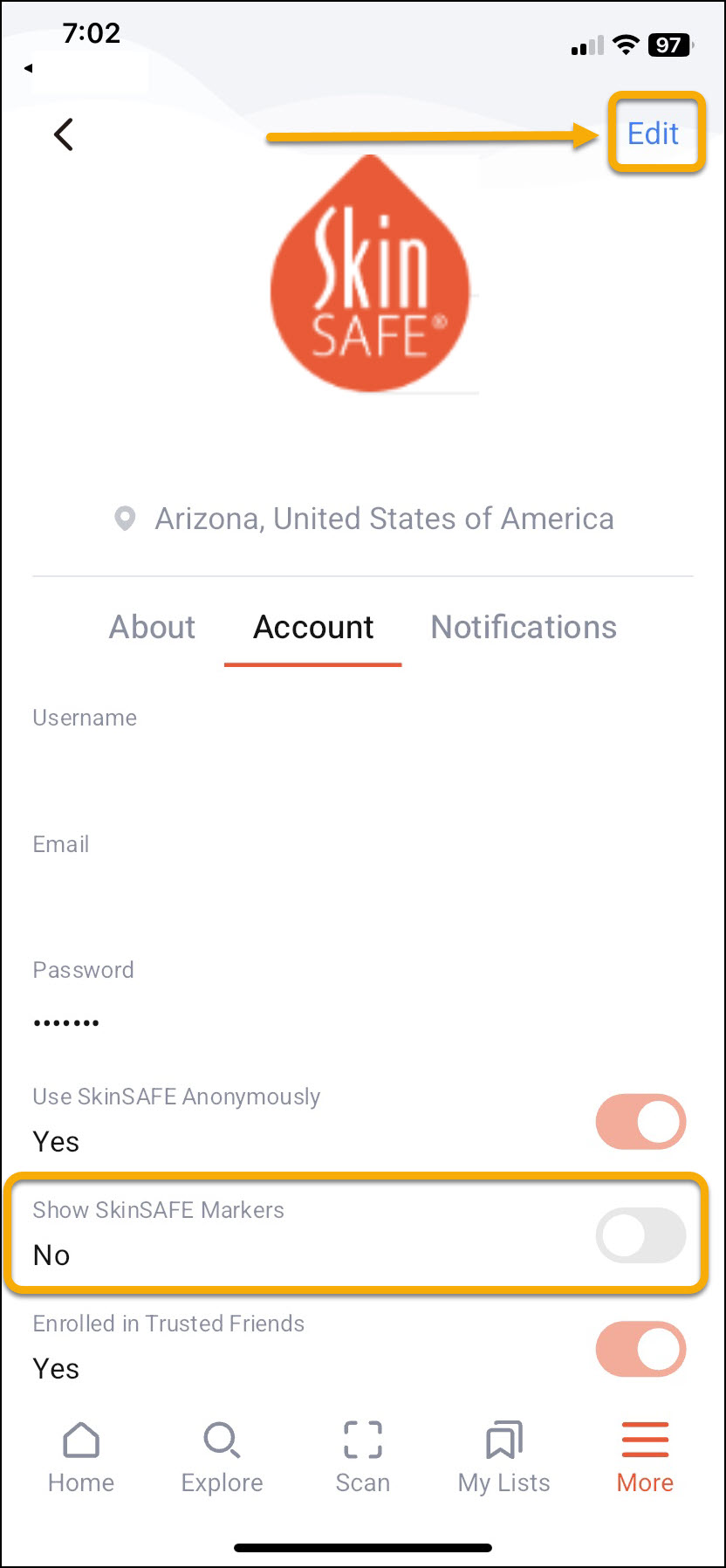
Locate the toggle switch for “Show SkinSAFE Markers” and set it to “Yes.”
Click “Save” in the upper left corner.
Once these steps are completed, you’ll be able to turn SkinSAFE Wellness Markers on and off as needed for customized filtering.